Pages

February 28, 2017

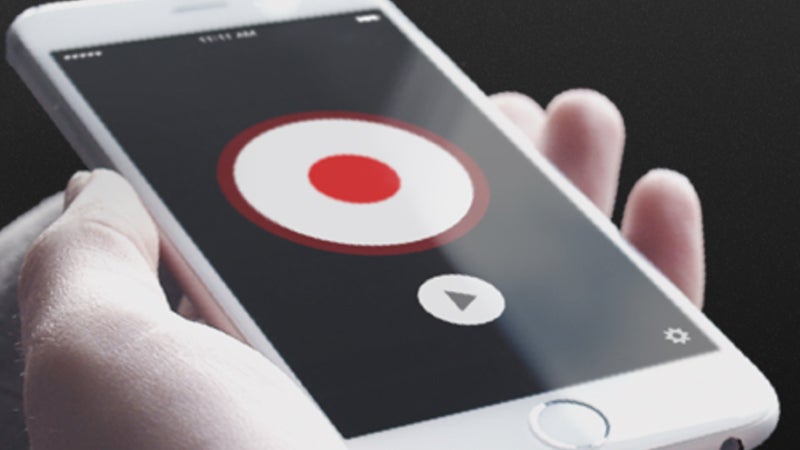
The 4 Best Apps for Recording Calls on Your Phone

Image: TapeACall Pro

Whether you’re interviewing rock stars, planning an event with folks from work, or just need to get your grandpa’s rants down on (digital) tape, there are plenty of __apps ready and waiting to record your calls for you.

Advertisement

But each seems to work differently. Some of them require an extra setup step to record, like connecting to an online recorder via the conference call setting on your mobile. We’ve tried to explain the recording process for each one of our favorites, as well as the various features they offer.

And one word of warning: Check your local laws to make sure you’re not doing anything illegal. Recording a call that you’re a part of is usually above board, but in some parts of the world (and some many states in the US) you need the consent of everyone involved in the call before you can hit the record button.


1) Automatic Call Recorder Pro

Image: Screenshots

One of the best features of Automatic Call Recorder Pro (Android) is in the name—the automatic aspect of it, which you can set to apply to all calls or specific contacts in the app settings. You can simply set it and forget it while it records your calls in the background.

Advertisement

And it really is fully automatic—thanks to the nature of Android you don’t need to press any buttons to record your calls as they come in and go out. The experience can vary between Android phones though, with some handsets blocking this kind of call recording integration, and the developer recommends trying the free version before paying to make sure it works for you.

To the app’s credit there are a lot of settings you can tweak if it doesn’t work the first time, and there are some other goodies available such as integration with Dropbox and Google Drive to make it easy to share your files to friends, family, or attorneys after you’ve recorded.


2) TapeACall Pro

Image: Screenshots

It doesn’t have the most elegant name we’ve ever seen, but TapeACall Pro (iOS, Android) is nevertheless a solid call recording program that gives you just about every feature you could want and then some, from saveable MP3s to straightforward setup and use.

Advertisement

Sponsored

A big red button appears on screen during calls—you need to tap on this and then set up a conference call between you, your contact and TapeACall Pro’s servers, but it’s pretty easy to do, and the instructions are shown on the app listing page.

The downside are the in-app purchases and subscription prices ($7.99 a year), but if you do a lot of recording it’s well worth it. In return you get unlimited recording, instant sharing options, and all your calls backed up safely in the cloud to be retrievable at at any time.


3) Call Recorder

In terms of the completely free options out there, Call Recorder (Android) is about as good as you’re going to get, though you’ll have to put up with some ads. To get rid of the ads and access extra features (such as Dropbox syncing), upgrade to the paid-for version.

Advertisement

It’s slick, and simple to use, but this being Android, certain handsets running certain versions of the OS can have problems. However, the developer offers plenty of help through the app page listing and the app’s own website, which isn’t always a given.

As with Automatic Call Recorder Pro, Call Recorder can integrate directly into Android’s calling system, recording everything automatically without so much as a button press to distract you from your chats.


4) Call Recording by NoNotes

Call Recording is a solution developed by a voice transcription service and so, as you would expect, it has voice transcription built in if you need it. The Call Recording by NoNotes (iOS) pricing is similar to TapeACall Pro, with unlimited recordings for the monthly price of $8.

Advertisement

Advertisement

It ticks most of the boxes that need to be ticked in a call recording program: support for incoming and outgoing calls, a clean and usable interface, straightforward operation... plus the transcription bonus. You get 20 minutes of recordings a month for free, too.

The app is similar to TapeACall Pro in that calls are routed through NoNotes’ servers: outgoing calls can be initiated through the app and incoming calls can be recorded by adding the NoNotes line as a third party to your conversation.

Not too long ago, Google announced that organizations' private Android __apps were moving from a "Private Channel" to the new Work __apps tab. This was a place where G Suite admins could curate public and custom apps for employees to install via their work profiles. Until this point, however, users of legacy Android devices (i.e. Lollipop and below) were not able to access the profiles necessary to use this feature. That's no longer the case.

This new update marks the ability for those users on older version of Android to see the Work Apps tab via their personal profiles, which means they can view and install the apps their admins have curated. This is fully rolling out to the Rapid and Scheduled release tracks, so be looking for it over the next day or so. All G Suite editions are eligible for this update, too.

  • Source:
  • Google

Gaming news breakdown: Upcoming Hearthstone expansion, a handful of Google Play pre-releases, and two intriguing VR titles

Article Contents

  • 1 Blizzard Entertainment announces a new 135 card expansion for Hearthstone
  • 2 Pre-registrations abound, Futurama, Transformers and Injustice 2
      • 2.0.1 Futurama: Worlds of Tomorrow
      • 2.0.2 Transformers: Forged to Fight
      • 2.0.3 Injustice 2
  • 3 Virtual Reality games coming soon from Ubisoft and Spry Fox
      • 3.0.1 Virtual Rabbid
      • 3.0.2 Beartopia

Another week, another breakdown of the current happenings in the Android gaming world. This week we have an upcoming 135 card expansion announced for Hearthstone. A few notable Google Play Store pre-registrations. Plus two newly announced virtual reality titles, coming from Ubisoft and Spry Fox.

Blizzard Entertainment announces a new 135 card expansion for Hearthstone

Yesterday Blizzard Entertainment announced a new 135 card expansion for Hearthstone, titled Journey to Un’Goro. It will take place in prehistoric landscape that is sure to be filled with dangerous flora, as well as some of the most savage dinosaurs to be found in Azeroth.

Set to be released in April, Journey to Un’Goro will feature new quest cards, that once completed will grant new kinds of rewards. It is set to be released cross platform on Windows, macOS, iOS, and Android. The card packs of course will be not only winnable in Arena mode, but purchasable with in game-currency, as well as real money.

Starting today, all the way up to the expansions release, you can also pre-purchase Journey to Un’Goro card packs in an outlandish 50-pack bundle. All on any platform of course, and for a one-time price of $49.99.

  • Source:
  • Businesswire

Pre-registrations abound, Futurama, Transformers and Injustice 2

Pre-registrations seem to be catching on with the bigger publishers. As more often than not, each week we see a new big name title that can be pre-registered on the Google Play Store. Having been keeping an eye out for such pre-releases, I have collected a few here for you to peruse.

Futurama: Worlds of Tomorrow

First up, (and a bit late to the party as this was announced last week) is Futurama: Worlds of Tomorrow. This is being brought to Android by Tinyco, the same people who graced us with Family Guy The Quest for Stuff. Suffice to say, if history is any indicator as to what this game may play like, looking towards the Family Guy IAP fest may just be a good clue.

While there is no info on the IAPs for the game as of yet, Tinyco is not one who tends to shy away from them. To keep you guessing as to what the game may contain, here are a few screen shots. (Check out the pic of Dr. Farnsworth and his elongated Finger-Longer. Perhaps this will be a tapping/clicker game.)

Transformers: Forged to Fight

Next we have a new Transformers game titled Transformers: Forged to Fight. Brought to us by Kabam, a free-to-play game developer. Meant as an action-fighting mobile game, it looks to be a re-skin of their earlier title MARVEL Contest of Champions, but with more of a focus on fighting mechanics.

Surely this will be filled to the brim with IAPs, but for the hardcore fans of the franchise, it may be worth checking out. For those wondering what it may look like, here are a few screens from the Play Store listing.

Injustice 2

Last up we have Injustice 2, brought to us by Warner Bros. A DC Comics franchised fighting game, where you can play as your favorite super heroes and villains from the DC Universe. This is a direct sequel to Injustice: Gods Among Us, where we will of course be getting new characters, new models, all with the same highly polished graphics of the last.

While there is still no information of the type of IAPs this game will have, it most likely won't stray far from the first title in the series. To get an idea of what the game will look like, here are a few screen shots for your viewing pleasure.

To pre-register for any of the above three games, navigate to the Play Store with the provided links below. Then click on the "Pre-register" button.

Futurama: Worlds of Tomorrow (Playboard) | Futurama: Worlds of Tomorrow (Play Store)
TRANSFORMERS: Forged to Fight (Playboard) | TRANSFORMERS: Forged to Fight (Play Store)
Injustice 2 (Playboard) | Injustice 2 (Play Store)

Virtual Reality games coming soon from Ubisoft and Spry Fox

With so many virtual reality smartphone frames out there for Android, it is no surprise some of the bigger publishers are jumping on the VR bandwagon. As of yesterday, two new Daydream games were mentioned in the Android Developer Blog.

Virtual Rabbid

First we have a game from Ubisoft, titled Virtual Rabbid. As you can guess, it will have something to do with their famous Rabbids franchise. What is known so far is that Ubisoft Montpellier, in collaboration with Bucharest will be the ones developing. As for the gameplay, it may be best to quote the devs here.

In Virtual Rabbids, a few irreverent Rabbids have stolen and scrambled a top secret nuclear safety password. You are called upon by a classified government agency to travel through different locations in a hilarious adventure to recover the missing digits. Players will find themselves in some of the most precarious situations as they race to save the planet.

Daydream gives players the opportunity to get closer to the Rabbids than ever before. Using the headset and controller, players will be plunged into the crazy world of Rabbids which includes various worlds which are full of hidden toys and an arsenal of tools and nutty gadgets to interact with. The Daydream controller lets you interact with the virtual world in the same way you do in the real world, making the gameplay experiences richer and more immersive.

Virtual Rabbids will be available this Spring for Daydream compatible devices. Of course for the curious, here are a few screen shots, showing off something that looks quite polished in the graphical department.

Virtual_Rabbids_Screen_1_1487975280 Virtual_Rabbids_Screen_2_1487975281 Virtual_Rabbids_Screen_3_1487975282

Beartopia

Second up, we have a game from Spry Fox (the makers of Triple Town) titled Beartopia. So far we know that Beartopia is being bandied about as a persistent world, cooperative multiplayer village building VR game (say that ten times fast.) This will also be another Daydream title (though a release on PC and macOS is slated for an even later window). So far there is no release date set, but feel free to check out the trailer below to get a sense of what it should look like.

  • Source:
  • Android Developers Blog

Be sure to check out our gaming news coverage from earlier this week:

  • Epic Games announces Battle Breakers, a tactical RPG coming to Android later this year
  • Google makes Play Store sales (including free offers) for paid __apps and games official

'Meet by Google Hangouts' is a new conferencing service for enterprise use

After the launch of Duo and Allo, Google began re-positioning Hangouts as a business tool. It's also part of G Suite, Google's collection of services for enterprise use. But overall, we really haven't seen any major changes since the switch to business use - until now.

Google is quietly launching 'Meet by Google Hangouts,' a new product for G Suite users. While the app's listing on the G Suite site is not yet live, the web client at meet.google.com is. It doesn't really do anything yet, since there is no way to start a meeting, but you can look at it.


While Hangouts is a typical messaging app, Meet is designed just for online meetings. Once a meeting is initiated, users can join in with a code on desktop or through the mobile apps. It also features dial-in numbers for traveling users (only for G Suite Enterprise Edition) and integration with Gmail and Calendars.

The iOS client is already live, but there doesn't appear to be an Android app available yet. Perhaps it was accidentally approved early. We've reached out to Google to confirm if an Android version will be available, but I imagine there will be.

  • Source:
  • TechCrunch

Android Auto page updated with 2017 Subaru Impreza listing... two months after the car's launch

Hey Android Auto team, you folks aren't asleep at the wheel over there, are you? Because the site with the comprehensive list of Android Auto-supported cars was just updated today to include the newest model of the Subaru Impreza. Which would be cool, except that the 2017 Impreza was announced with Android Auto support months ago, and new models rolled out to US car dealers way back in December. I hope that didn't cost Subaru any sales.

Anyway, yes, the 2017 Impreza comes with Android Auto standard, and the onboard electronics system is also dual compatible with Apple's CarPlay. As far as we can tell (and as reflected on the Android Auto site), the Impreza is the only model in Subaru's lineup that offers Android Auto at the moment, despite the fact that it's the least expensive design in the fleet. Perhaps Subaru is using the budget-friendly Impreza as a test bed for Android Auto itself.

It's worth noting that earlier today, news broke that luxury brand BMW had decided to forego Android Auto compatibility, despite supporting CarPlay. Perhaps someone over at Google decided that with this less-than-flattering story making the rounds, it was time to touch up the Android Auto site, and happened to notice that Subaru had launched its first model.

  • Source:
  • Android Auto

AppGratis shuts down


The world of startups is an incredibly harsh one, with most companies ending up either getting bought or closing down — assuming they even manage to gain any traction in the first place. AppGratis is unfortunately an example of a startup that's recently fallen into the latter category, having just announced its shutdown a few days ago.

AppGratis started its life in 2008 as a daily newsletter listing app discounts on the iOS App Store, shifting to a standalone app model two years later in 2010. It ran up against some issues with Apple's application policy in late 2013, which ultimately led to its removal from the App Store and the launch of its Android app the following month. Over the following three and a half years, AppGratis racked up 10 to 50 million downloads on Google Play.

Despite providing a valuable service, the fact is that the app's practical use has diminished over time and other __apps such as AppSales have begun to take its place. Even recent changes to the way developers can set up sales on the Play Store removes much of the need for an app like AppGratis.

One main disadvantage of AppGratis's model was its reliance on coupon codes. Typically, these codes would unlock premium features from within an app's free version, but since most of the time these promotions weren't associated to a Google account, it meant that users would be left with nothing if they uninstalled the app or tried installing it on a new phone.

The team behind AppGratis wrote a short piece on their decision to shut down the service, and you can check it out in the source link below.

  • Source:
  • AppGratis

Do you happen to use Google+? Do you also use Gboard? Then you might be happy to know that version 9.6 of the Google+ app for Android adds support for inserting GIFs through Gboard.


When typing a new post, simply hold down the Return button and switch to Emojis, then press the GIF button at the bottom. As with any compatible app, this allows you to search for the GIF of your choosing and insert it into the app. With Google+, you can select multiple GIFs for a single post.

The Google+ 9.6 update is already live on the Play Store, but in case you haven't received it yet, you can also grab it from APKMirror.

  • Source:
  • Google+

BMW has no plans to add option for Android Auto to its cars


In an interview today with TechCrunch, Dieter May, Senior Vice President of Digital Services and Business Models, revealed that BMW has no current plans to integrate Android Auto into any of its cars. Instead, May prioritizes continued investment in ConnectedDrive, the brand's own platform of connected services.

Of course, this might all sound slightly hypocritical given that BMW already has several models with an option for Apple's CarPlay, or it may also be taken as a sign that the company may decide to drop support in the future once it feels satisfied with the quality of its own services. __apps for Automotive (A4A) is part of the ConnectedDrive platform and provides many of the same functionalities that are available on Android Auto, letting drivers connect and control their smartphones through BMW's own interface.

According to May, in addition to benefits in app integration, security, and the platform's innovation speed, having BMW use its own system also provides the company with a lot more control over the customer interface. "That [the customer interface] is part of the brand experience and for that, I don't want to have an Android screen and I especially want to be able to deeply integrate these systems."

While it's certainly understandable that BMW would prefer to be in control of the its customers' user experience as much as possible, it's fortunate that Google also provides a way to add Android Auto to any car if BMW's interface doesn't really tickle your fancy.

  • Source:
  • TechCrunch

[Deal Alert] Get a Samsung Gear Fit2 for $100 from Verizon ($80 off)

If you're in the market for a fitness tracker, but all the new smartwatches floating around don't excite you, then you might want to check out the deal that Verizon is running. You can pick up the Gear Fit2 for $99.99, which is a nice savings of $80. Oh, and there's free shipping.

This is the lowest price we've seen for the device (the last one was $130), and at $100, it's almost an impulse buy. For a refresher, the Gear Fit2 has a 1.5" 216p AMOLED display, a 1GHz dual-core CPU, 512MB of RAM, 2GB of storage, and a 200mAh battery. You also get GPS, a heart rate monitor, and IP68 water and dust resistance. It is compatible with any Android device on KitKat and above.

The Gear Fit2 is built for fitness tracking, but has some basic smartwatch capabilities. Verizon's deal covers only the Dark Gray version (only color in stock), but both the small and large wristband sizes are included. Shipping is free. I am honestly surprised that Big Red has any stock remaining, but who knows how long that will last. Be sure to hit up the source link if you're interested.

  • Source:
  • Verizon

February 21, 2017

Crime and Place – Crime Compass and Map

Whether at home or traveling in the United States, Crime and Place™ is an indispensable tool for gaining visibility to personal and property crime trends, to help you avoid becoming a statistic.

We focus on long-term trends in criminal activity in the United States. The more you know about your surroundings, the more you can avoid unsafe situations.

  • Crime Compass – Quickly see your surroundings as you move 
  • Map Overlay – A fully interactive heat map with GPS tracking and search capabilities
  • Customizable – Calibrate data to suit your needs, set up notifications, and more

Notifications require background GPS use. Continued use of GPS running in the background can dramatically decrease battery life.

IMPORTANT NOTE: This app is not designed to, nor does it provide any guarantee of safety. Please read the License Agreement in its entirety before purchasing or installing this app.

Download Crime and Place on the App Store
Visit Developers Website

MCProApp Blueprints, Maps and Guides for Minecraft

Minecraft 3D blueprint and maps viewer.

Every Minecraft player would appreciate great building tools MCProApp can offer.

  • New features and content are added on regular basis.
  • MCProApp offers 2D and 3D layer-by-layer views of Blueprints files that help new and experienced Minecraft players to build great structures in the Game.
  • Fanfiction Stories are constantly updated and added to the App for your enjoyment.
  • Circle and Sphere guides, Crafting recipes, Redstone simulators, and 3D mini-games are just some new features that we plan to add later.

This is a re-launch of 6-year-old MCPro App. We really really wanted an update… We had to acquire all App assets from old Developer because they stopped any support for the App. Due to the fact that old app was using iCloud and Game Center, we were not able to transfer it to our Dev account. This is why MCProApp starts fresh!

Each update will bring new features, performance tweaks, and more content.

Some features currently available:

  • new App Core with basic 3D/2D Blueprint views and layer controls
  • Construction Grid and Block IDs
  • Block display filters
  • Various camera controls and physics options
  • Save blueprints and access them offline
  • Storytime with user created stories

Download MCProApp on the App Store
Visit Developers Website

February 17, 2017

BatON is an app that tries to show the battery level of connected Bluetooth devices, despite Android's limitation in this area

Love or hate them, Bluetooth devices are here to stay for a little while. Whether they be smartwatches, computers, or headsets, we rely on the wireless connection standard for convenience. But one issue that we Android users have is that our favorite mobile operating system does not display the battery levels of connected devices (except for some ROMs like MIUI), unlike its fruity competitor's. Along comes BatON, an app that tries to solve this issue.

Before we get started, there is one overarching limitation here. This workaround will only work with Bluetooth devices that have handset functionality (i.e. accept/reject calls) or a GATT profile (usually Bluetooth LE devices). So in my case, only my headsets' and Martian watch's (which has a speaker and mic for calls) battery levels were shown in the menu and notifications.


When first loading up the app, you are asked to grant it location permission. This was really confusing at first, until I read into the Information section. As you can see in that first screen shot, the developer states that the Bluetooth API is part of the Location API, thus why that permission is required for the app to work.

Once you're through that, you're presented with a list of all of your connected devices. In the second screenshot above, you can see what I was talking about when I mentioned the limitation. BatON lists my Android Wear watches and my MacBook, but those don't meet the criteria for displaying battery life. The ones that are supported will also be displayed in your notification shade with their name and status.

Digging into the settings, you're presented with meager pickings. I think this is a good thing; BatON is not trying to do too much here, nor is it trying to throw too much stuff at its users. You have two things to fiddle with: notifications and the auto measure frequency. Now, to avoid Artem's initial irritation with the app, I highly recommend toggling on the "Close notification on disconnect" setting. It's pretty self-explanatory, but it's disabled by default which is kind of a head-scratcher.


The auto measure section is where you set the frequency that the app will use to check on the connected devices' battery levels. The default is set to three hours, and I believe that is because you can manually remeasure the devices by tapping the notification or item entry in the main menu. Personally, I will probably switch to something like thirty minutes or an hour because I will forget to manually refresh.

On a final note, in Phil's tests with a Bluetooth 3.0 speaker, the app did not report any change from the initial battery level (in his testing, the speaker was at 70% when he started). Odds are that this is a limitation in Bluetooth 3.0 and not necessarily the fault of the app.

And that's BatON, a nifty little app that tries to solve an annoying problem. I realize that some headsets announce when their batteries are low or whatever (my LG Tone Ultra has high, medium, low, and empty announcements), but not everything does (*ahem* Beats Studio). I like what the developer is trying to do here. Go check it out in the Play Store. It's a free download with no ads.

BatON (Playboard) | BatON (Play Store)
  • Thanks:
  • Arnaud P.

[Deal Alert] Cheotech USB Type-C cable multi-packs on sale at Amazon for up to 35% off

The world is moving beyond the venerable microUSB cable. USB Type-C is where it's at, and that means you'll need to replace your cables. That brings up two potential issues: you don't want to spend a lot of money, but you also want good cables. Well, the highly regarded Cheotech cables are on sale, so that solves that.

These cables are (if you care about such things) Benson-approved. Thus, they should not cause damage to your device or charging hardware. The cables come in packs of three or six and with various cable configurations. Here are the items on sale.

  • 6-Pack of CHOETECH USB Type C to USB Type C Cables: $12.99 from $19.99
  • 3-Pack of 3.3 Ft. CHOETECH USB Type C to USB 3.0 Type A cables: $9.99 from $12.99
  • 6-Pack of CHOETECH USB Type C to USB 2.0 Type A Cables: $11.00 from $15.49

The 6-packs include various cable lengths, which is handy if you've got chargers in multiple rooms. The above discounts require coupon codes at checkout. For the C to C 6-pack, it's JJZY88CI. The A to C 3-pack is LDKQIZ89. and the A to C 6-pack is FT5F8OM6. They all have Prime shipping for those of you with an subscription.

  • Via:
  • SlickDeals

New LG G6 leak provides clearest look yet at LG's 2017 flagship

The G5 didn't work out for LG, so it made some changes with the V20. Now we're mere weeks away from the G6, and it's been a pretty leaky phone. The best images of the unannounced phone we've yet seen are now making the rounds. It's not the prettiest phone, but maybe the pics don't do it justice.

The images above match what we've seen in past leaks. The G6 has a screen with rounded corners, but weirdly, the radius of the corners doesn't match the radius of the phone's corners. The bezels are slim, and there's the usual dual-camera array on the back of the phone. There's also a fingerprint sensor on the rear, which likely acts as a power button as well.

The G6 is expected to pack a Snapdragon 821, 4GB of RAM, and a 5.7-inch display with an 18:9 aspect ratio. The phone will likely be announced on February 26th at MWC and could launch in the US on April 7th.

  • Source:
  • 9to5Google

Audiobooks.com app update adds Android Wear 2.0 support

Of all the stock smartwatch frames to use, Audiobooks... of all the stock frames! They had to pick the Samsung Galaxy Gear, a discontinued smartwatch that runs Tizen OS and has nothing to do with Android Wear 2.0. A Samsung Gear Live would have been slightly better, because even if it's never getting Android Wear 2.0, at least it runs Android Wear so it's in the same... Galaxy. But let's not let the mistake of the graphics and marketing team at Audiobooks.com take away the spotlight from the prowess of their developer team.

The latter has updated the Android app to be fully compatible with Android Wear 2.0, less than 10 days after the platform's official release. This lets users launch the Audiobooks app straight from their watches, browse books, listen directly from the watch without a phone connection, and control playback and volume.

Here's the full changelog so you can check everything that's new, followed by a link to the app on the Play Store if you also want to grab it on your phone. Audiobooks.com should already be accessible on the Play Store on your Android Wear 2.0 watch.

WHAT'S NEW

Thanks for using Audiobooks.com! This update includes new compatibility with Android Wear smartwatches, allowing users to:
- Launch the Audiobooks.com app from their smartwatch
- Listen to any audiobook in their My Books library
- Access controls for play, pause, forward, rewind and volume
- Browse select free books and featured samples
This update also fixes bug throughout.
Audio Books by Audiobooks (Playboard) | Audio Books by Audiobooks (Play Store)

Press Release

Audiobooks.com becomes the first premium audiobook service to offer full Apple Watch and Android Wear smartwatch compatibility

Apple Watch and Android Wear smartwatches can now be used to enjoy an expanded range of the Audiobooks.com service

TORONTO, February 16, 2017 – Audiobooks.com is pleased to announce their full compatibility with both Apple and Android wearable technologies, making them the only premium audiobook service to provide that option to their customers.

“We recognize how important innovation and convenience are to our customers, so offering them the option to listen with Apple and Android watches was important to us,” says Ian Small, Audiobooks.com CEO.

This expansion into wearable technology is in addition to Audiobooks.com’s availability on tvOS, Sonos, CarPlay, Android Auto, and select infotainment systems in GM, Land Rover and Jaguar vehicles.

“Connective technology – in homes, in cars, and now in style – is the way of the future, and Audiobooks.com is committed to being on the leading edge of that movement.”

Apple Watch and Android Wear smartwatch users can now:

  • Launch the Audiobooks.com app from their smartwatch
  • Browse and listen to any audiobook in their My Books library
  • Access controls for play, pause, forward, rewind and volume

This announcement follows the recent Wear 2.0 version update for Android, with which Audiobooks.com is fully compatible. Audiobooks.com users who own wearable technology can start listening immediately, no action required.

Coach Guitar – Lessons & Easy Tabs For Beginners

Guitar Lessons: Get visual teaching guitar app with colors – We show you how to play popular songs without music theory. The easy way to learn to play guitar without guitar tabs information No music theory, no tablature, no guitar chords for beginners!

The black fretboard represents your guitar. The colored dots represent your fingers. The dots will show you where to put your fingers and which strings to strum.

CoachGuitar shows you how to play popular songs on acoustic guitar with videos and animated fretboard. You can learn to play Guitar Hits all around the world. Choose your favorite song and learn to play it!

FEATURES

  • No music theory
  • Animated color-coded Fretboard
  • Learn to play popular songs
  • Videos lessons (HD)
  • Slow motion and Loop video
  • Step-by-Step approach by professionals
  • Left-Handed or Right-Handed views
  • Backing track with voice
  • Structure and chords diagram
  • Guitar tabs included

COACHGUITAR PREMIUM PASS
You can subscribe for unlimited access to our lesson catalog with the Premium Pass. Once a premium member you can use the CoachGuitar lessons with unlimited time and access.

  • The subscription is $7.99 monthly
  • Payment will be charged to iTunes Account at confirmation of purchase
  • Subscription automatically renews unless auto-renew is turned off at least 24-hours before the end of the current period
  • Account will be charged for renewal within 24-hours prior to the end of the current period at the cost of the chosen package
  • Subscriptions may be managed by the user and auto-renewal may be turned off by going to the user’s iTunes Store Settings after purchase
  • No cancellation of the current subscription is allowed during active subscription period
  • CoachGuitar Premium Pass is an option and the app can be used for free without it

COACHGUITAR BEGINNER PASS
You can subscribe for unlimited access to our beginner’s lesson with the Beginner Pass. Once a beginner premium member you can use the CoachGuitar beginner lessons with unlimited time and access.

  • The subscription is $3.99 monthly
  • Payment will be charged to iTunes Account at confirmation of purchase
  • Subscription automatically renews unless auto-renew is turned off at least 24-hours before the end of the current period
  • Account will be charged for renewal within 24-hours prior to the end of the current period at the cost of the chosen package
  • Subscriptions may be managed by the user and auto-renewal may be turned off by going to the user’s iTunes Store Settings after purchase
  • No cancellation of the current subscription is allowed during active subscription period
  • CoachGuitar Beginner Pass is an option and the app can be used for free without it

Download Coach Guitar on the App Store
Download Coach Guitar on the Google Play Store
Visit Developers Website

February 16, 2017

Super Live Score

Fastest Live Scores and Results. Goal alerts are faster than the alerts on TV.

Just select your matches or favorite teams and wait for your mobile device to let you know. Whether a goal is scored, you will know at the same time as the live audience.

FEATURES

  • Live statistics of match with attacks, shots, corners, cards,
  • Line-ups, Substitutions, teams tactical formats,
  • Leagues tables, fixtures,
  • Teams detailed statics, past results, team squads
  • Footballer database with career statics

We’re really proud of our apps! Try now to feel the difference and experience our speed

Download Super Live Score on the App Store
Visit Developers Website